One inbox for every conversation
Bring messages and comments from connected channels together, review history, and reply from one view.

Conversation automation with a free plan
Centralize Instagram, Facebook, and Messenger, reply to messages, and trigger keyword automations. Start free with clear monthly limits.
ArgyChat organizes every conversation so replying, classifying, and automating all happen in the same flow.
Bring messages and comments from connected channels together, review history, and reply from one view.
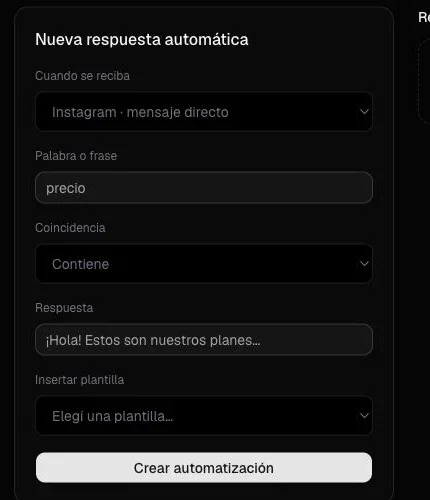
Define words or phrases and choose which reply to send when each trigger appears.
Keep profiles, tags, and interaction history so every conversation is recognizable.
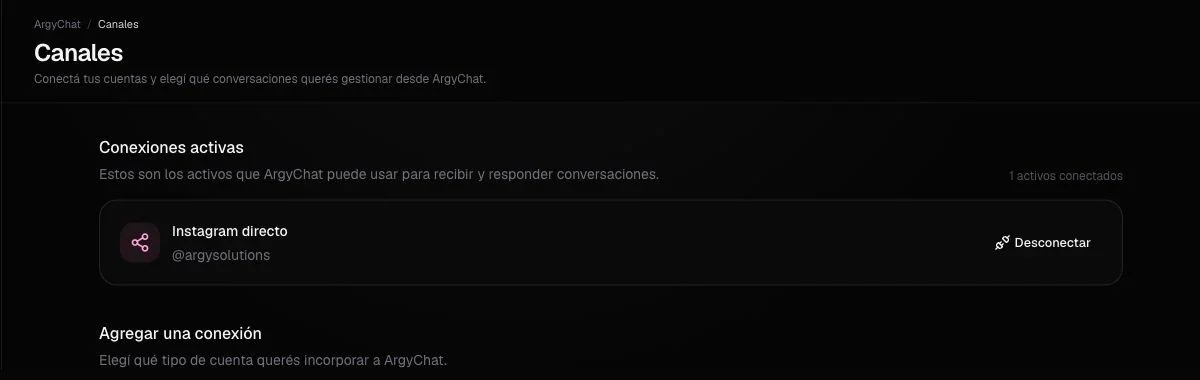
Choose the pages and professional accounts ArgyChat can receive and reply from.
Review professional account activity and available performance metrics for its posts.
ArgyChat turns scattered interactions into a clearer customer care flow for your team.
Connect Facebook and Instagram through the official authorization flow.
Choose which professional assets you want to manage inside ArgyChat.
Handle conversations and comments within each channel’s reply window.
Activate keyword rules and reuse templates whenever a reply repeats.
Tell us how your business works and we will show you whether ArgyChat is the right fit.
Each ArgyChat plan adjusts monthly limits for messages, automations, contacts, and channels.